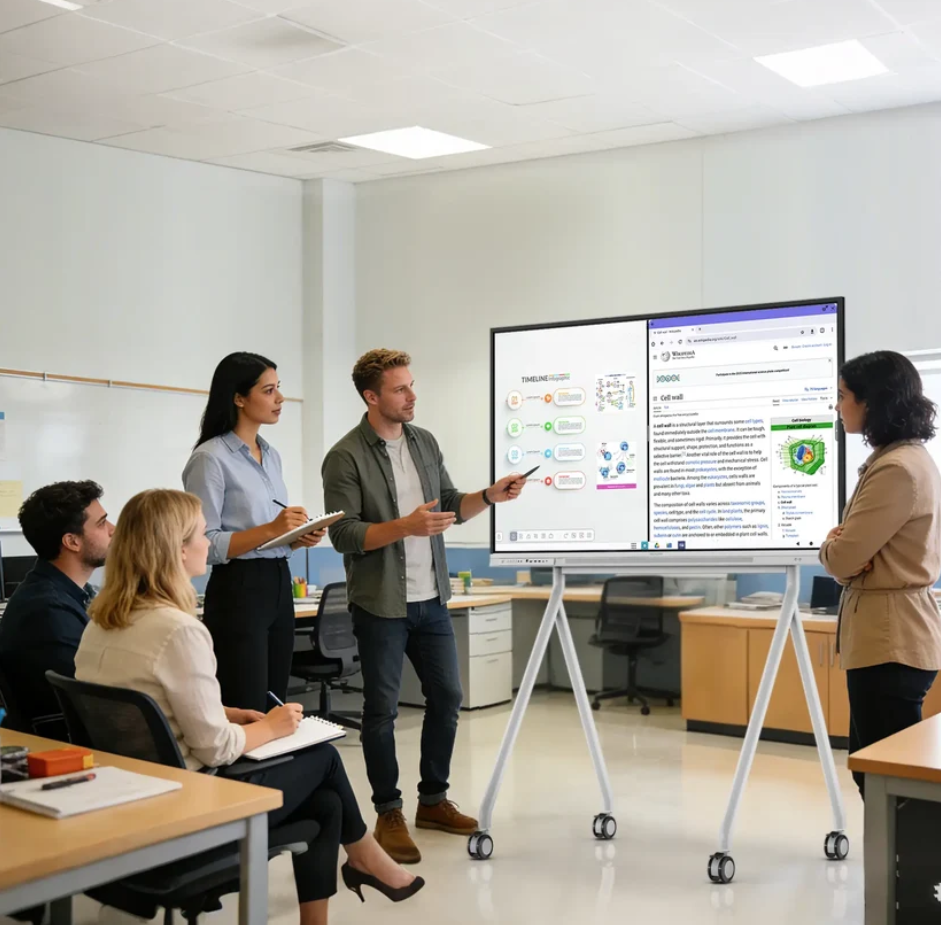
Interactive display technology has changed how people share information in classrooms and meeting rooms. Traditional projectors, whiteboards, and separate video devices often require multiple steps before users can start a lesson or discussion. Interactive smart boards combine display, touch control, and collaboration functions into one device, helping teachers and business teams create smoother communication experiences.
Nework provides smart visual display and collaboration solutions for K12 schools and small to medium-sized businesses. With more than 20 years of experience in the audiovisual industry, they develop products that help schools improve teaching efficiency and companies simplify meeting workflows. Their solutions focus on easier deployment, lower maintenance requirements, and reliable after-sales support. Schools and businesses can contact Nework to discuss suitable display solutions based on their space and usage needs.
Understanding the Role of Interactive Smart Boards
An interactive smart board is a digital display that allows users to write, control content, and interact with information directly on the screen. Unlike traditional displays, it combines visual presentation and touch-based operation, making lessons and meetings more engaging.
In classrooms, teachers can use interactive functions to present documents, explain ideas, and add notes during lessons. Students can follow content more clearly and participate in activities through direct interaction. This creates a more flexible teaching environment without relying on printed materials or separate writing tools.
In meeting rooms, smart boards help teams share ideas, review files, and discuss projects in real time. Employees can display information from different devices and make changes during discussions. This reduces the time spent switching between equipment and applications.
Key Features That Improve Classroom and Meeting Efficiency
Touch interaction is one of the main features that separates smart boards from standard displays. Users can write, move objects, and control content directly on the screen. This simple operation allows teachers and employees to focus more on communication instead of learning complicated equipment.
Wireless screen casting is another useful function for modern workspaces and classrooms. Teachers can share materials from laptops or tablets without connecting multiple cables. In meeting rooms, team members can quickly display reports, presentations, or project information during discussions.
Two-way touchback control also improves collaboration. Users can control shared content from the smart board while keeping the connected device active. This function supports flexible presentations and allows participants to interact with information more naturally.
For organizations comparing display solutions, the Nework interactive smart board provides an example of how touch technology, wireless sharing, and collaboration features can work together. The purpose is not only to display content but also to create a more efficient way for groups to communicate.
Supporting Modern Video Meetings and Remote Collaboration
Remote communication has become an important part of many organizations. A smart display needs to work with existing meeting platforms to reduce setup difficulties. Compatibility with commonly used conferencing systems helps teams start online meetings with fewer technical steps.
Nework smart boards are compatible across conferencing platforms, including Microsoft Teams, Zoom, Google Meet, and other meeting applications. This allows companies to continue using their preferred communication tools while adding interactive display functions to meeting spaces.
Clear video and audio quality also influence remote meeting experiences. An external 4K AI camera and advanced audio system can improve image clarity and sound performance during online discussions. These features help create more natural conversations between local and remote participants.
For K12 schools, similar functions can support online teaching and communication between teachers, students, and external education resources. A smart board with suitable audio and video equipment can make digital learning activities easier to organize.
Considering Deployment and Maintenance Requirements
When schools and companies select interactive displays, installation and daily management are important factors. Equipment that requires complex setup may increase training time and maintenance workload. A practical solution should allow users to begin operation with clear steps.
Nework focuses on solutions designed for easier deployment in different environments. The Nework smart board series combines display, touch control, and collaboration features in one system, helping organizations reduce the need for multiple separate devices.
Device management is also important for organizations with several classrooms or meeting spaces. Simple operation and stable software functions can help reduce the workload for IT teams and administrators. This is especially useful for small businesses and schools with limited technical resources.
The number of users is also a reference point when evaluating product applications. More than 25,000 professional teams use Nework smart whiteboards, showing that interactive display solutions can be applied across different working environments and collaboration needs.
Choosing a Smart Board Based on Actual Usage Needs
Before purchasing an interactive smart board, organizations should consider their daily scenarios. Schools may focus on classroom interaction, teaching tools, and teacher operation. Businesses may pay more attention to meeting efficiency, remote communication, and device management.
Screen size, software compatibility, touch response, connection options, and service support are all practical evaluation points. Instead of selecting equipment based only on specifications, buyers should match features with actual usage requirements.
For example, a school with multiple classrooms may need simple management and consistent operation across different spaces. A growing company may need flexible meeting solutions that support both local discussions and remote collaboration.
Making Smart Displays Part of Better Communication
Interactive smart boards connect presentation, interaction, and communication functions in one platform. They help teachers and business teams move beyond traditional display methods by supporting direct interaction and easier information sharing.
When evaluating a Nework interactive smart board, schools and companies can consider how touch control, conferencing compatibility, and maintenance requirements match their long-term needs. Choosing equipment based on real usage scenarios helps organizations build more practical learning and meeting environments.
With the right features and deployment planning, smart display technology can become a useful tool for improving communication efficiency. It supports more connected classrooms and meeting rooms while helping organizations manage digital equipment in a simpler way.
